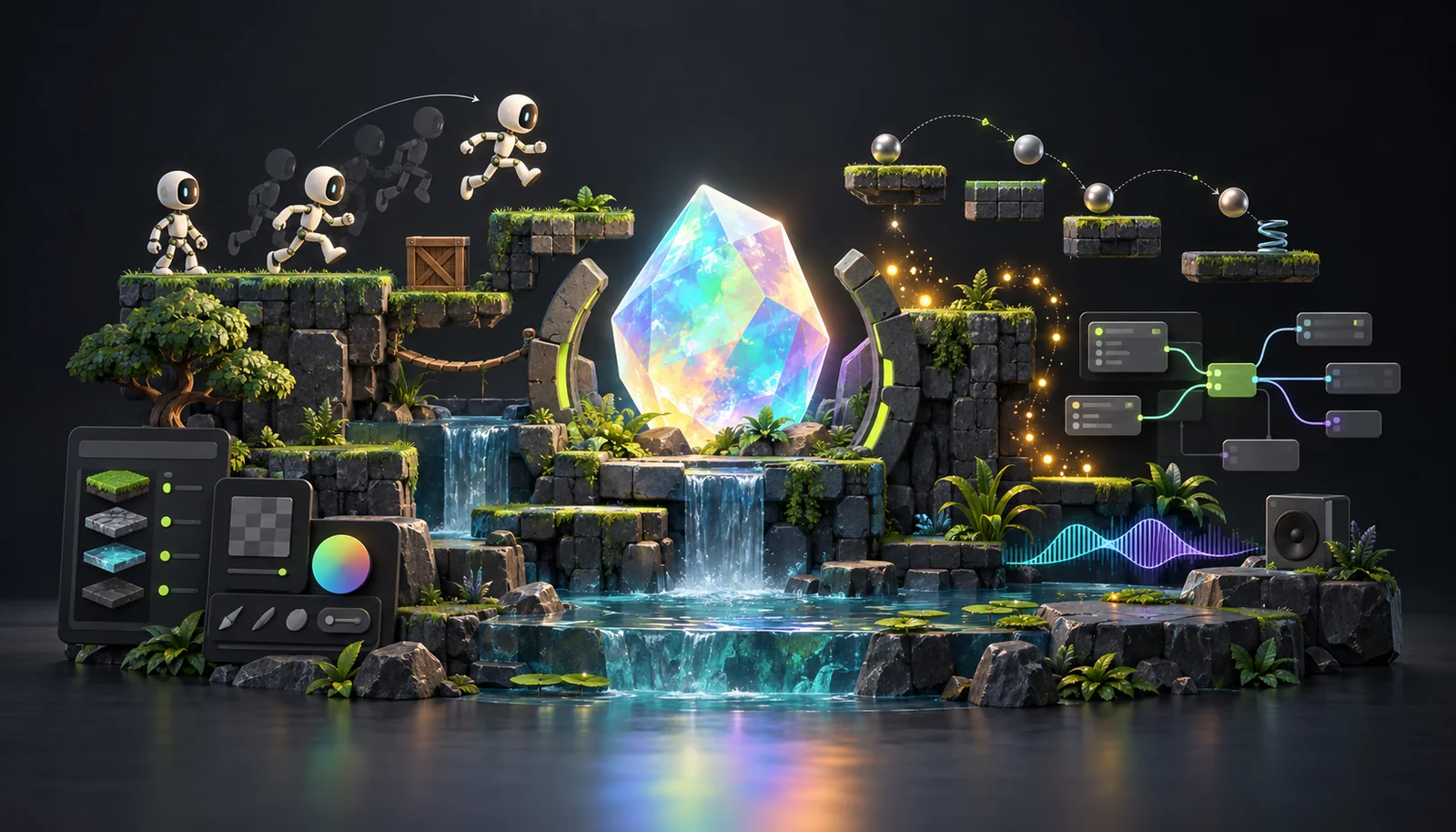
Make 2D games with the tools already inside.
Flow, physics, animation, and sound live in one project — not a pile of plugins. The demo scene is really running; tap a coin and watch the rule fire.
Open the editor when you’re ready. If you’d rather work on disk, desktop keeps each game in a normal folder.
Arrange, Flow, motion, rigging, sound, scripts, UI — all in one engine.
That strip under the scene is a real Flow rule: one event, one variable, one action. Click the action node to try a different one.
See what people have made
When someone publishes from the editor, their game shows up here — play it, and open the project if they left remixing on.
From blank project to something you can share
You don’t need a separate export step — the same file you edit is what you publish.
-
Open the editor
Start with Coin Garden: move a coin, press Play, and you’ve already changed something real.
-
Change one rule
Wire tap → score → sparkle in Flow. When you want more control, the same project accepts typed OpalScript.
-
Publish a link
Send friends a play link, keep it unlisted, or let remixers open the whole project — your call.
Eleven studios, still one project
You’re not jumping between apps. Pick a workspace from the top bar — arrange, animate, bake sound, script — and the same scenes and assets come with you.
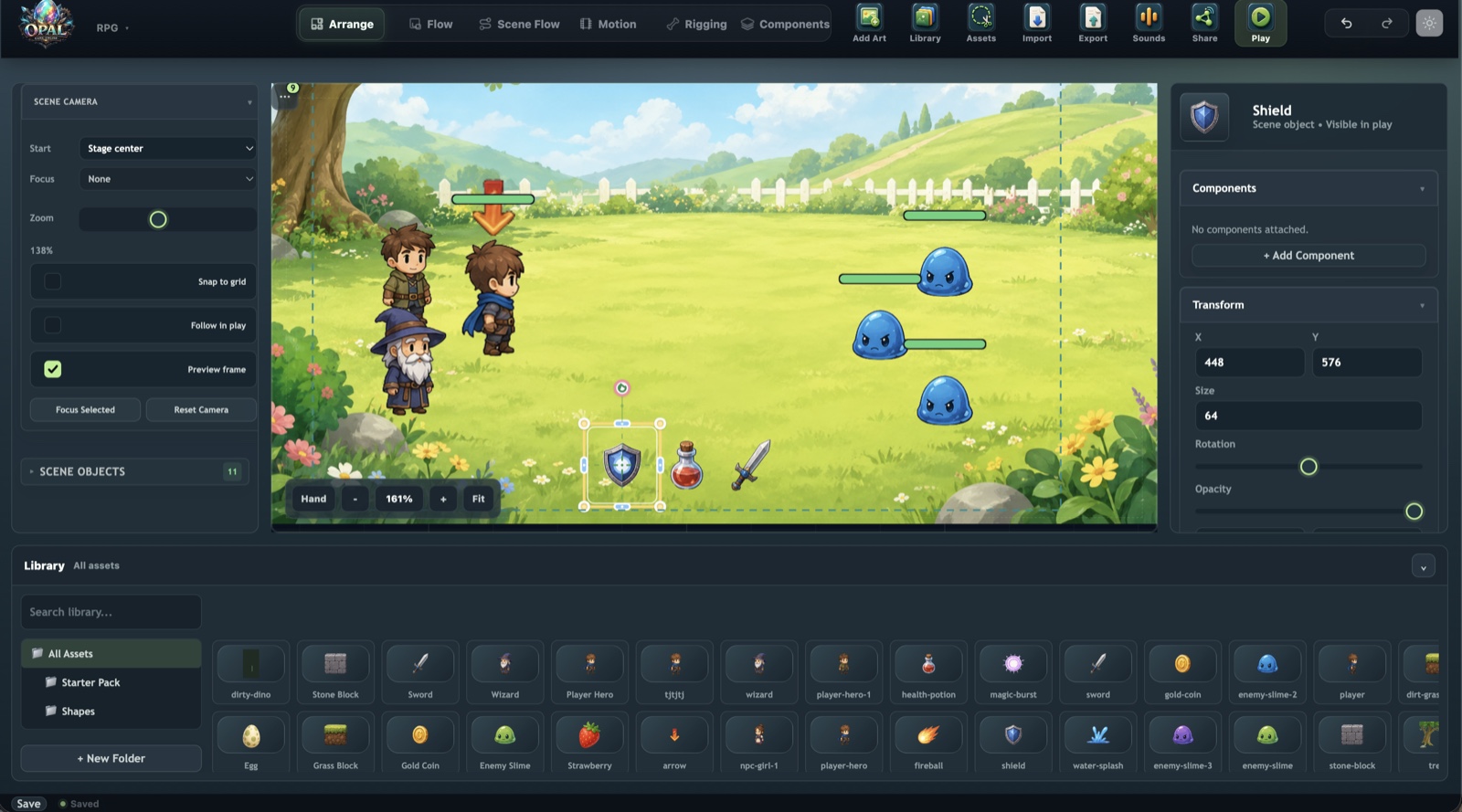
Lay out the scene
Home base. Place objects on the stage, parent them into a hierarchy, drag the transform gizmo, and configure typed components in the inspector.
Objects and hierarchy- Hierarchy, transform gizmo, snapping, multi-select editing
- Component inspector — attach Health, Pickup, Rigid Body 2D, controllers
- Prefabs with per-instance overrides and revert
- Asset library with folders, drag-to-place, and dependency tracking
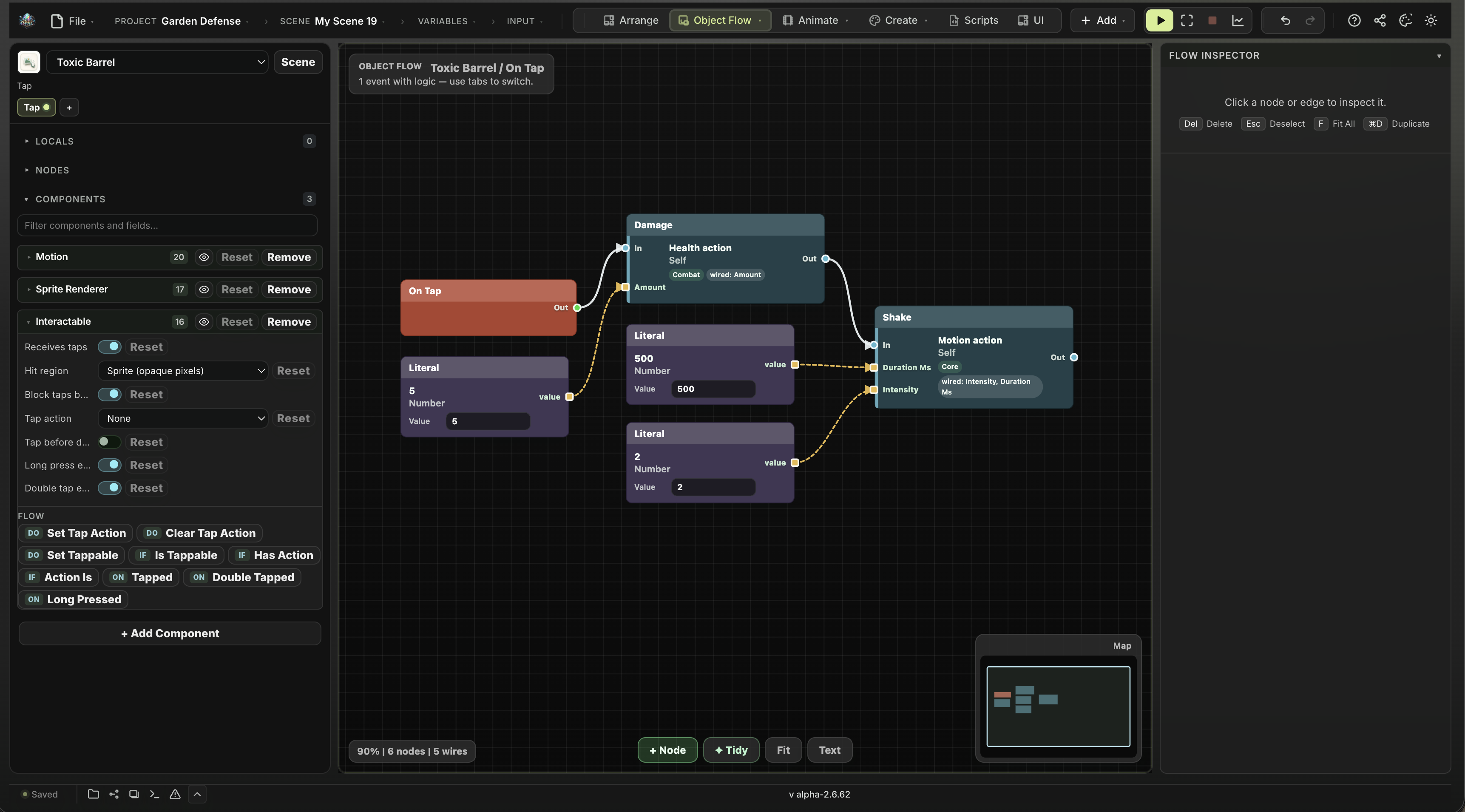
Behavior, wired not typed
Each object carries event-driven node graphs. Execution runs along white wires, data along typed coloured ones — the Unreal Blueprints model, scoped to one object.
Visual scripting- Events for tap, drag, drop, rub, enter area, collision, and timers
- Node catalog grows as you attach components
=expressions in fields, plus Expression and Script nodes- Any graph can be edited as readable text instead of nodes
Rules for the whole game
The same node system at scene and project scope: what happens on startup, when the player wins, and how you move between scenes.
Projects and scenes- Scene start, win and lose conditions, timers
- Scene transitions across a multi-scene project
- Reads and writes GameState, which survives scene changes
- Live overlay shows rules firing while the game runs
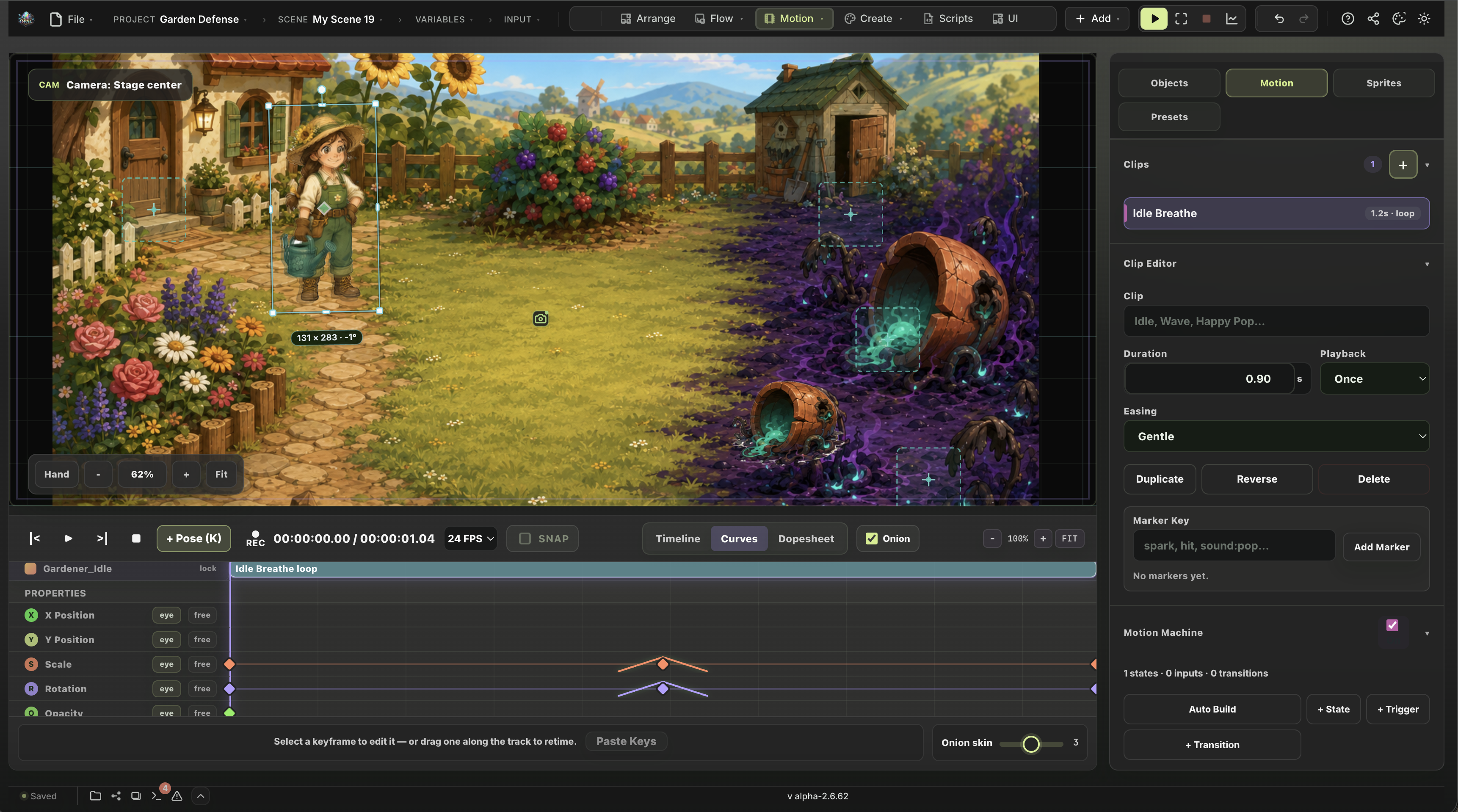
Keyframes and state machines
Animate position, rotation, scale, and opacity on a dope sheet — then build a Motion Machine over your clips so animation reacts to gameplay.
Motion and rigging- Dope sheet, easing, looping, scrubbing, onion skinning
- Motion Machine: states, bool/number/trigger inputs, crossfades
- Markers fire sound, VFX, screen shake, and speech at the playhead
- Skeleton clips and motion clips share one machine
Sound Canvas — a node-graph sound baker
Build a sound effect from Sample, Mic, Tone, and Noise sources, shape it through a processor chain, preview it, and bake a plain WAV into your asset library.
Sound Canvas- Trim, gain, fade, pitch, reverse, lofi, filter, echo, reverb, normalize
- Record straight from your microphone into the graph
- Bakes 16-bit stereo WAV — a normal asset, not a live effect chain
- Deterministic: the same graph always bakes the same file
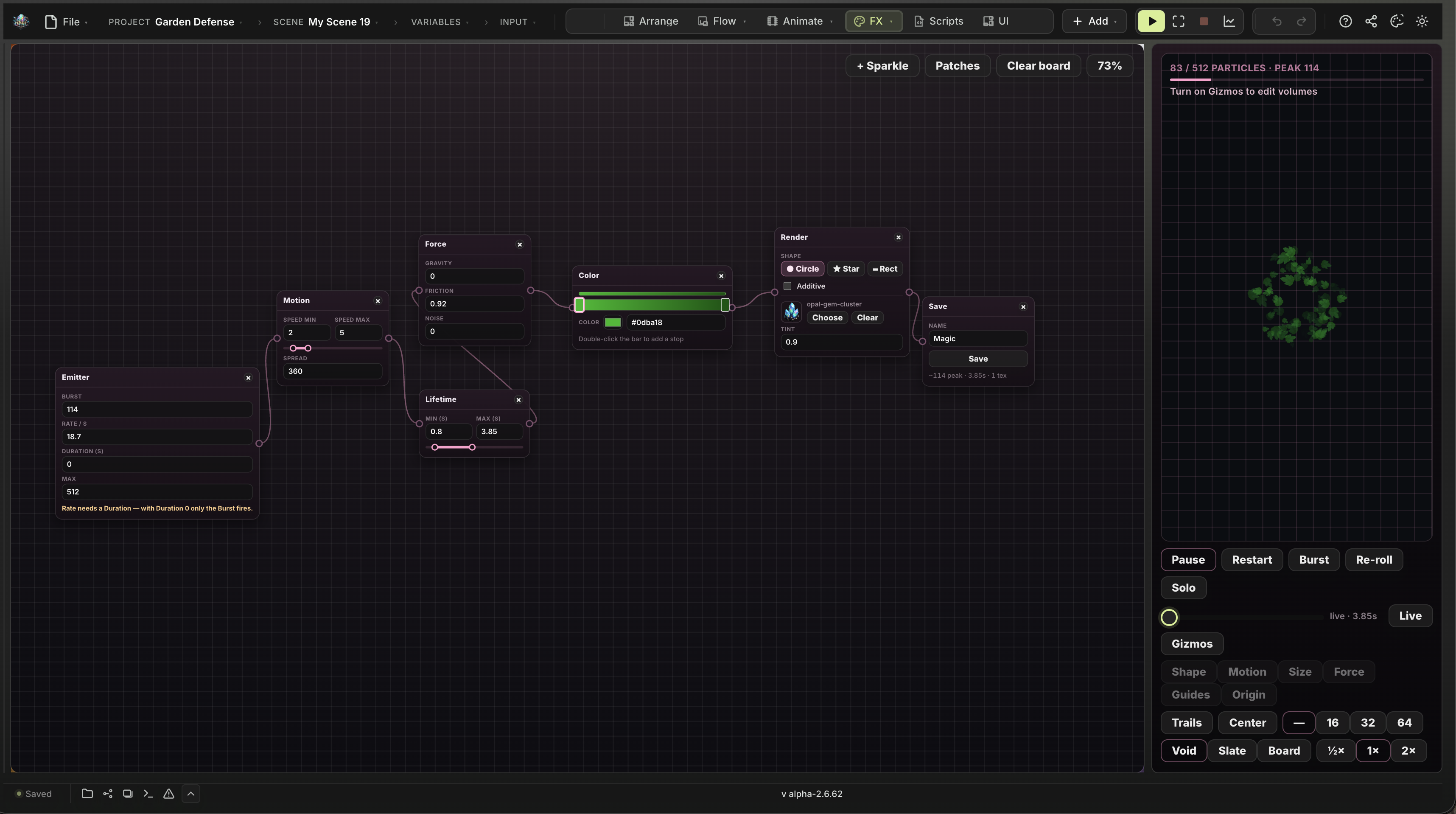
Particle Canvas — a node-graph effect baker
Compose an emitter chain, preview it live, and bake a reusable .pfx you trigger from Flow, a Particle Emitter, or a motion marker.
- Starters: Sparkle, Smoke, Fire, Magic, Muzzle, Explosion, Confetti
- Shape, motion, colour, size, spin, and sprite rendering
- Spawn VFX for one-shots, Particle Emitter for loops
- The graph is saved on the project, so you can go back and re-bake
Pixel Studio — draw the sprite in place
A drawing surface inside the engine, so a placeholder sprite can become the real one without leaving the project or round-tripping through another app.
Pixel Studio- Frame-by-frame drawing with layers and onion-skin frames
- Import a sprite sheet or an Aseprite file to keep editing
- Bake PNG sprites, or an
.ssbwhen you have two or more frames - Hands off to Art Canvas for timing and packaging
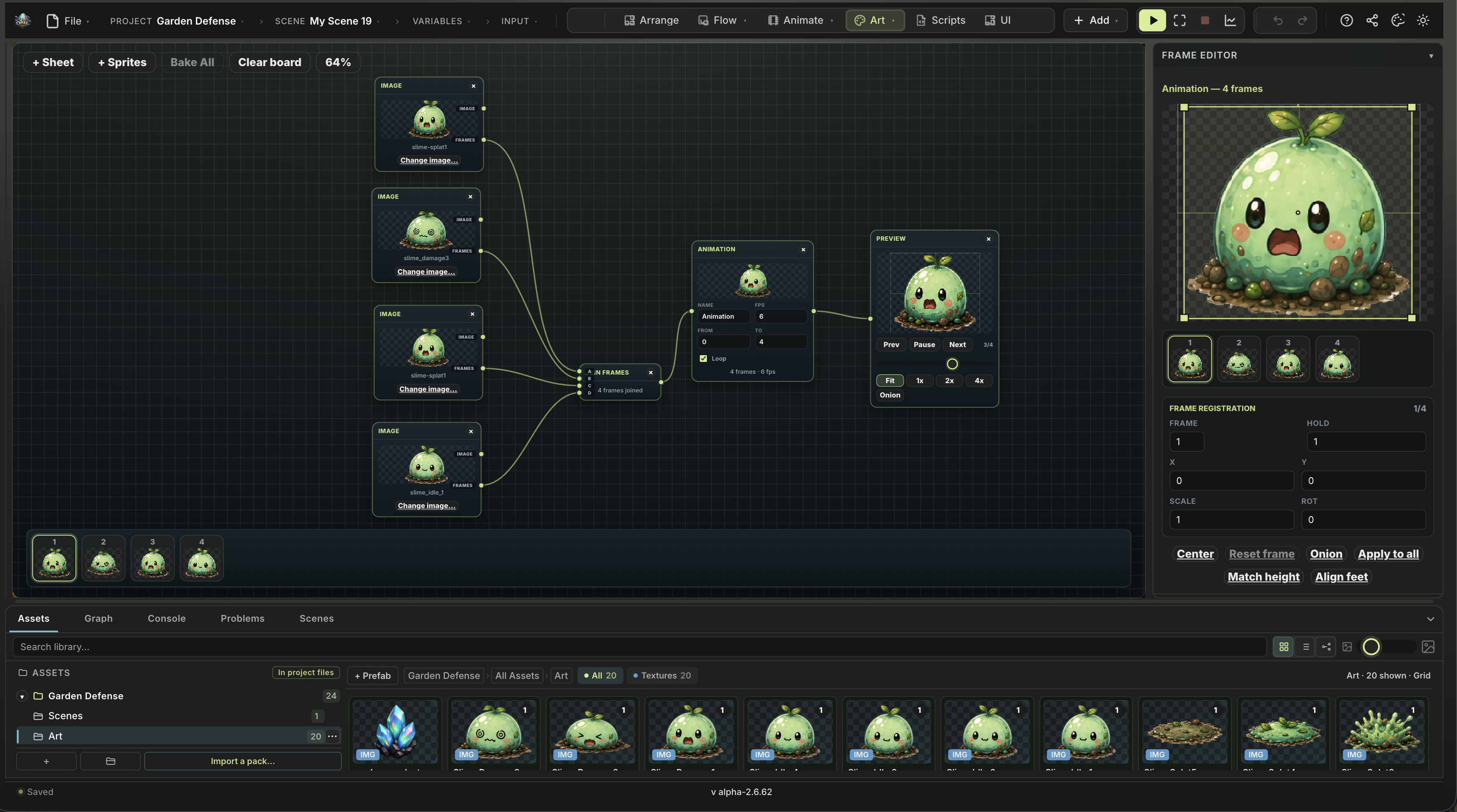
Art Canvas — the sprite animation baker
Slice a sheet or assemble loose frames into a node pipeline, preview the timing, and bake a reusable .ssb sprite sequence into the library.
- Grid slicing for sprite sheets, or drag in loose sprites
- Live playback preview before you commit the timing
- Bakes
.ssbbundles the Sprite Animator component plays - The graph is saved on the project, so you can go back and re-bake
Skeleton Studio
Bone-based character animation in the Spine tradition: rig in Setup mode, pose and key in Animate mode, then drive those clips from the same Motion Machine.
Skeleton Studio- Bone hierarchies, slots, and multiple swappable skins
- IK constraints — set a tip and a target, the chain solves
- Region-to-mesh conversion with painted vertex weights
- Key bones, IK targets, attachments, colours, and draw order
Drop to code when you want it
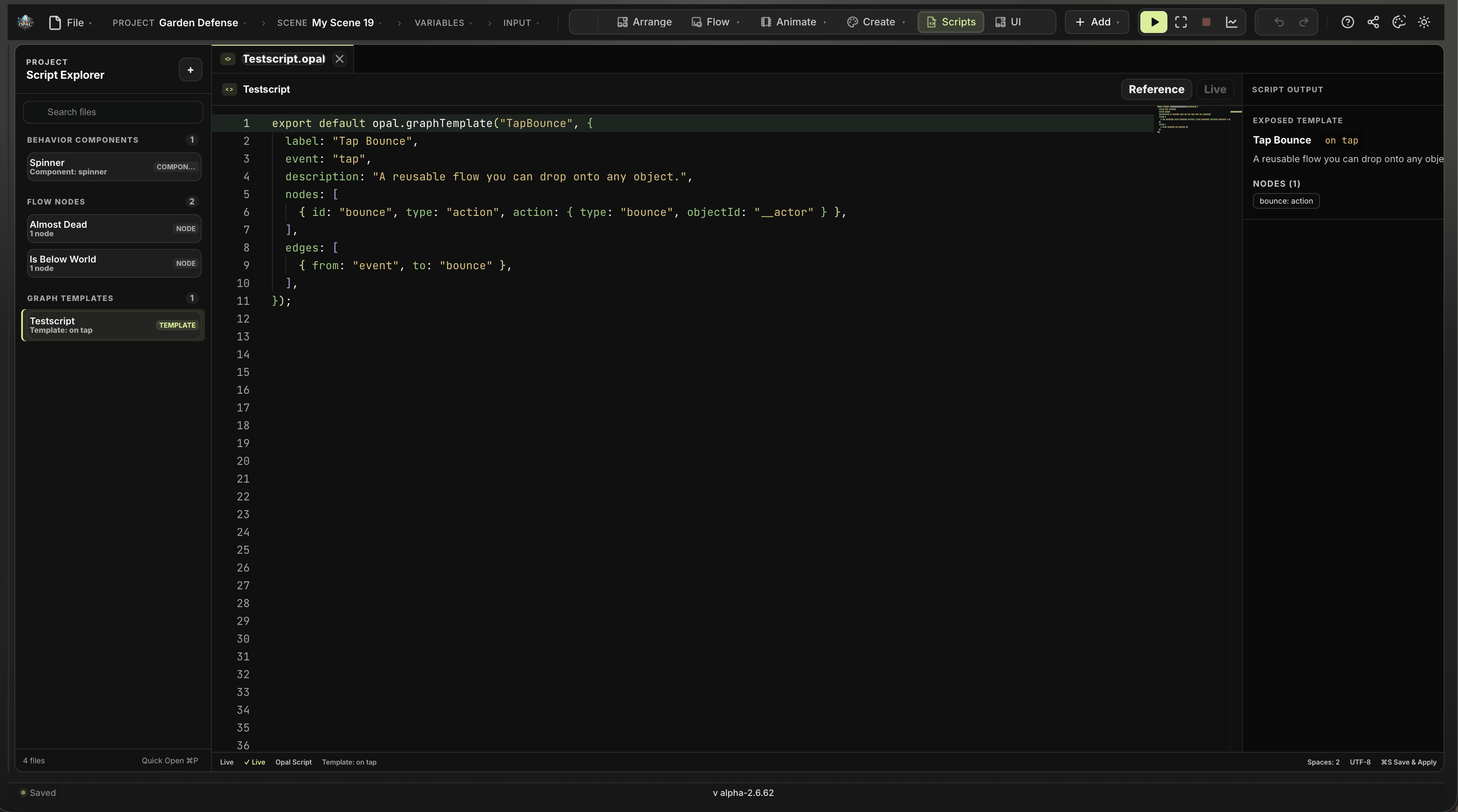
OpalScript is Opal’s typed gameplay language, with C#-style syntax. It runs inside Opal and doesn’t use .NET libraries. Write an OpalScript class or a Behavior Component that shows up in the Inspector and the Flow catalog.
Scripting- New Behavior starts
class Foo : Componentwith Start and Update opal.component(...)declares Inspector fields, hooks, actions, and events- Public methods become Flow actions and conditions anyone can wire
- Save & Apply; Edit Source jumps from the Inspector card back to the script
HUDs and menus, in the engine
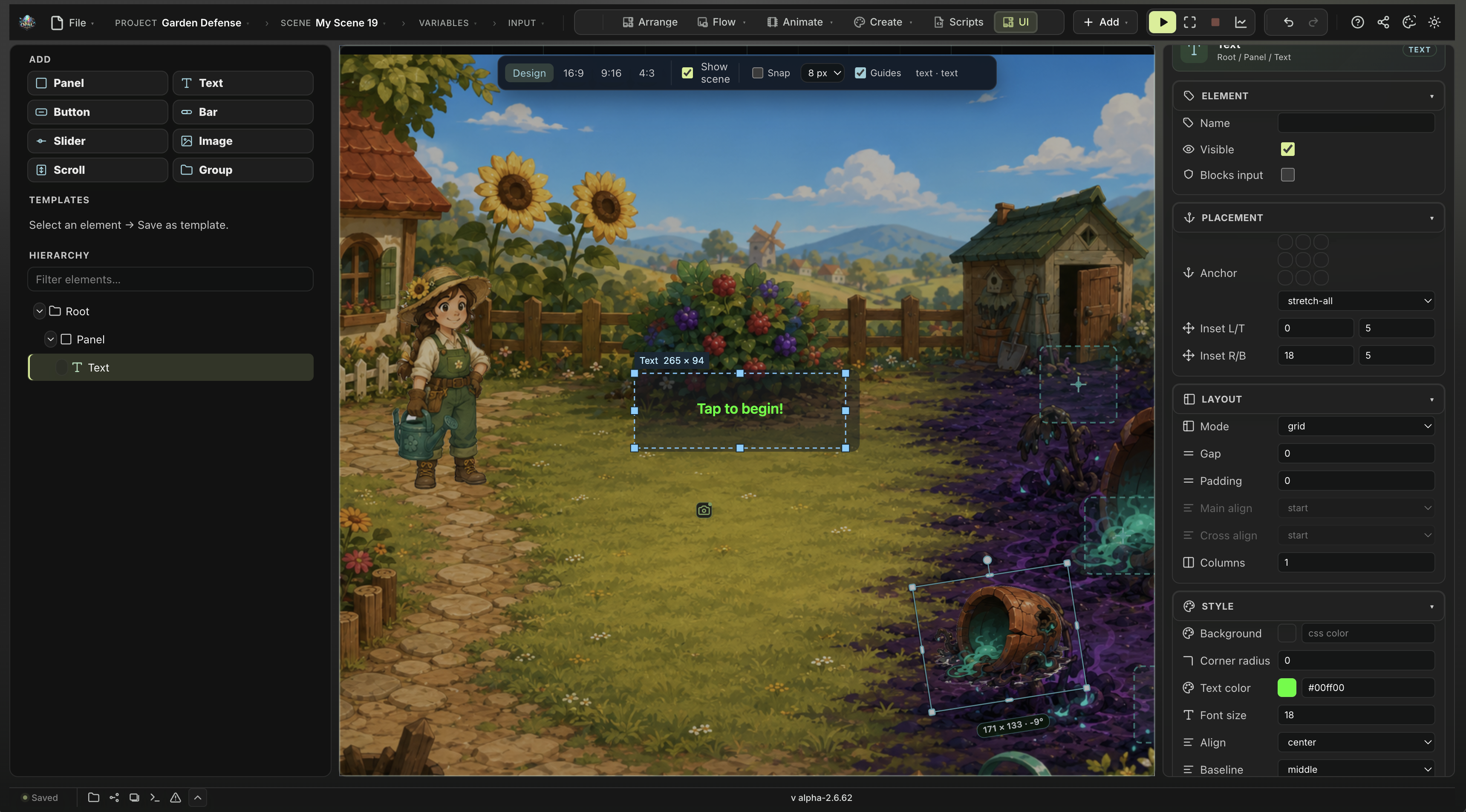
Author the game’s interface as game content — panels, text, buttons, bars, sliders, and images with real layout and anchors, bound to your variables.
UI and HUD- Bind a label straight to a GameState variable — no glue code
- Anchors and responsive layout for different screen shapes
- UI buttons trigger Flow like anything else in the scene
- Preview the HUD over the live scene
 Physics
Rapier-backed 2D bodies, colliders, sensors, and joints. Collisions arrive as Flow events with real contact points.
 Typed variables
GameState for the whole project, object variables per thing. Number, true/false, text, list, object — declared, not guessed at.
 Prefabs
Save a configured object — components, animation, graphs, children — and spawn it at runtime with per-instance overrides.
 Publish & export
Ship to the arcade in one click, or export a .opal backup you can reimport later.
Want people to see how you built it?
Turn on remixing when you publish and players can open the whole project in the editor — every scene, every asset — and build their own version, always crediting you. Leave it off, and your game just plays.
Try one small change
Open the editor, load Coin Garden, and tweak the Flow rule from the demo — you’ll feel the loop in about a minute.
Opal is an open alpha — expect rough edges, and keep an exported .opal backup of anything you love. What’s new in this version.